
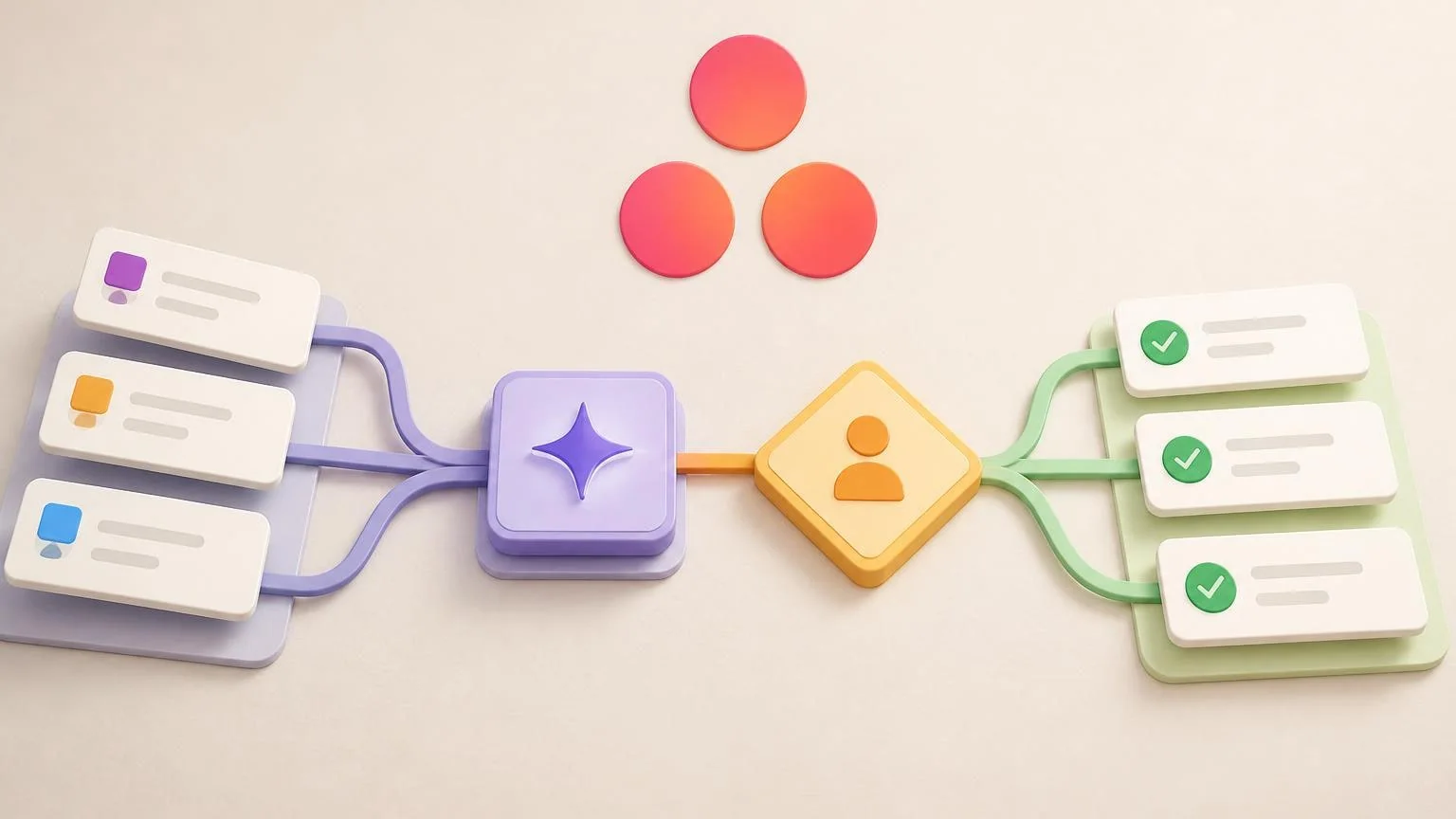
Asana is often the system where requests become trackable work, and an Asana AI integration should turn messy intake into routed, reviewable execution. The goal is not to let a model roam across the workspace. It is to help an agent classify incoming work, enrich tasks with the right context, suggest ownership or priority, and hand risky decisions to a human before anything important changes.
That design matters even more now that Asana offers native AI surfaces such as AI Studio and AI Teammates. Some teams will use those built-in capabilities inside Asana, while others will connect an external AI agent through OAuth, scoped API access, and webhooks. In both cases, the operational question is the same: what exact job should the agent own, what data can it see, and what should still require human review?
Start with one Asana job, not the whole workspace
The best Asana AI integrations begin with a narrow workflow. Good first jobs include request intake from a form, triage of new work, drafting task summaries, normalizing custom-field values, assigning the likely owner, or moving a task into the correct section for review. Each of those has a clear trigger, a bounded data surface, and an obvious human checkpoint.
What usually goes wrong is trying to automate the entire operating model at once. If the agent is allowed to read every project, update any task, and infer policy from comments alone, you lose trust quickly. In production, the first win should be a job that is easy to measure and easy to roll back.
- Good first scope: classify requests, draft structured task details, suggest priority, and route to the right queue.
- Higher-risk later scope: reassign owners automatically, move deadlines, create dependent tasks across teams, or close work without review.
- Bad initial scope: broad workspace search plus broad write access with no approval boundary.
Scope the data and permissions before you connect the model
Permissions are more important than prompts. If you are integrating an external agent with Asana, request only the OAuth scopes needed for the specific workflow and avoid giving the app blanket access just because it is convenient. If you are using AI Teammates inside Asana, the same principle still applies: the teammate should only be added to the projects, tasks, or teams that matter for the job.
What the agent should usually read first
For a request-intake workflow, read access normally needs to be limited to one intake project, the relevant task fields, selected comments, chosen custom fields, and any linked documents the triggering user already has permission to access. That is enough to classify the work, identify missing information, and prepare a structured handoff.
What the agent should not write freely
Write access should start with low-risk actions such as posting a draft comment, setting a suggested enum value, or populating a staging field like AI summary or recommended queue. More sensitive changes such as changing deadlines, adding collaborators, moving work into an execution section, or updating downstream systems should sit behind an approval step.
A practical pattern is to separate working fields from committed fields. Let the agent write to draft fields first, then let a manager or queue owner approve the final priority, assignee, or escalation path. That gives you auditability without removing the speed benefit.
A concrete workflow: new request to routed task and approved plan
One of the strongest Asana AI patterns is operational intake. Imagine a shared requests project used by marketing, IT, and operations teams.
- Trigger: a new request task is created in the intake project from an Asana form or another system that pushes work into Asana.
- Context: the agent reads the task title, description, attachments, requester, selected custom fields, recent comments, and the routing rules for that project.
- Action: the agent drafts a clean summary, flags missing details, suggests a priority, selects a likely queue, proposes the owner, and writes its reasoning into a review comment or draft field.
- Human handoff: a team lead reviews the recommendation, approves or edits it, and only then allows the task to move into the active work section or the downstream project.
This is the kind of workflow where AI adds value because the task is not just moving from A to B. The agent is interpreting intent, cleaning up messy request language, and applying policy or routing logic that would otherwise stay trapped in a manager’s head.
Choose the implementation path by trust level and timing
There is no single correct architecture for Asana AI integration. The right implementation depends on how much judgment is needed, how quickly the workflow must react, and whether the work needs to cross systems.
Use built-in Asana AI when the workflow lives mostly inside Asana
If your workflow is primarily about task context, rules, and in-product collaboration, Asana AI Studio and AI Teammates may already cover a meaningful share of the job. That is especially true when you want no-code triggers, conditions, and actions tied closely to existing project workflows.
Use an external AI agent when the workflow crosses systems or needs tighter orchestration
An external agent becomes more useful when Asana is only one control point in a broader process. Examples include reading an intake task, checking another business system, generating a structured recommendation, syncing approved outputs elsewhere, and reporting status back into Asana. In that model, Asana stays the coordination layer while the agent handles reasoning and cross-system work outside the workspace.
If you use webhooks, design for reality rather than ideal timing. Asana’s webhook system is fast enough for many business workflows, but event delivery is not a hard real-time guarantee. Your integration should verify webhook signatures, process events idempotently, and reconcile state if an event arrives late or is missed.
Design for monitoring, duplicate events, and safe failure
Production trust does not come from the model being clever. It comes from the workflow being observable. Every AI decision should leave a visible trail inside the process: what task triggered the run, what context was read, what recommendation was made, what field changed, and whether a human approved the step.
- Use idempotency keys: avoid applying the same routing or update twice if multiple events arrive close together.
- Keep a fallback queue: if the agent cannot classify confidently, route the task to a human review section instead of forcing a guess.
- Log approval decisions: store whether a manager accepted, changed, or rejected the recommendation so the workflow can be improved safely.
- Review permissions on a schedule: integrations drift over time, especially after new projects, fields, or teams are added.
A safe failure mode in Asana is usually simple: do not mutate the live workflow when confidence is low or required context is missing. Draft the recommendation, mark the task for review, and let the queue owner decide. That is much better than silently moving or rewriting work in the wrong project.
When an AI agent is better than a simple Asana rule
Use a simple rule when the condition is deterministic. If a request tagged IT access should always go to the IT queue, a standard automation is enough. Use an AI agent when the incoming work is messy, incomplete, or ambiguous and the system needs judgment before it can route, prioritize, or summarize correctly.
That is why the best Asana AI integrations are not really about adding chat to project management. They are about making intake and coordination more reliable without giving up control. If the agent can improve the quality of the task before a person touches it, while staying inside a tight permission boundary and a clear approval path, the integration is doing its job.