
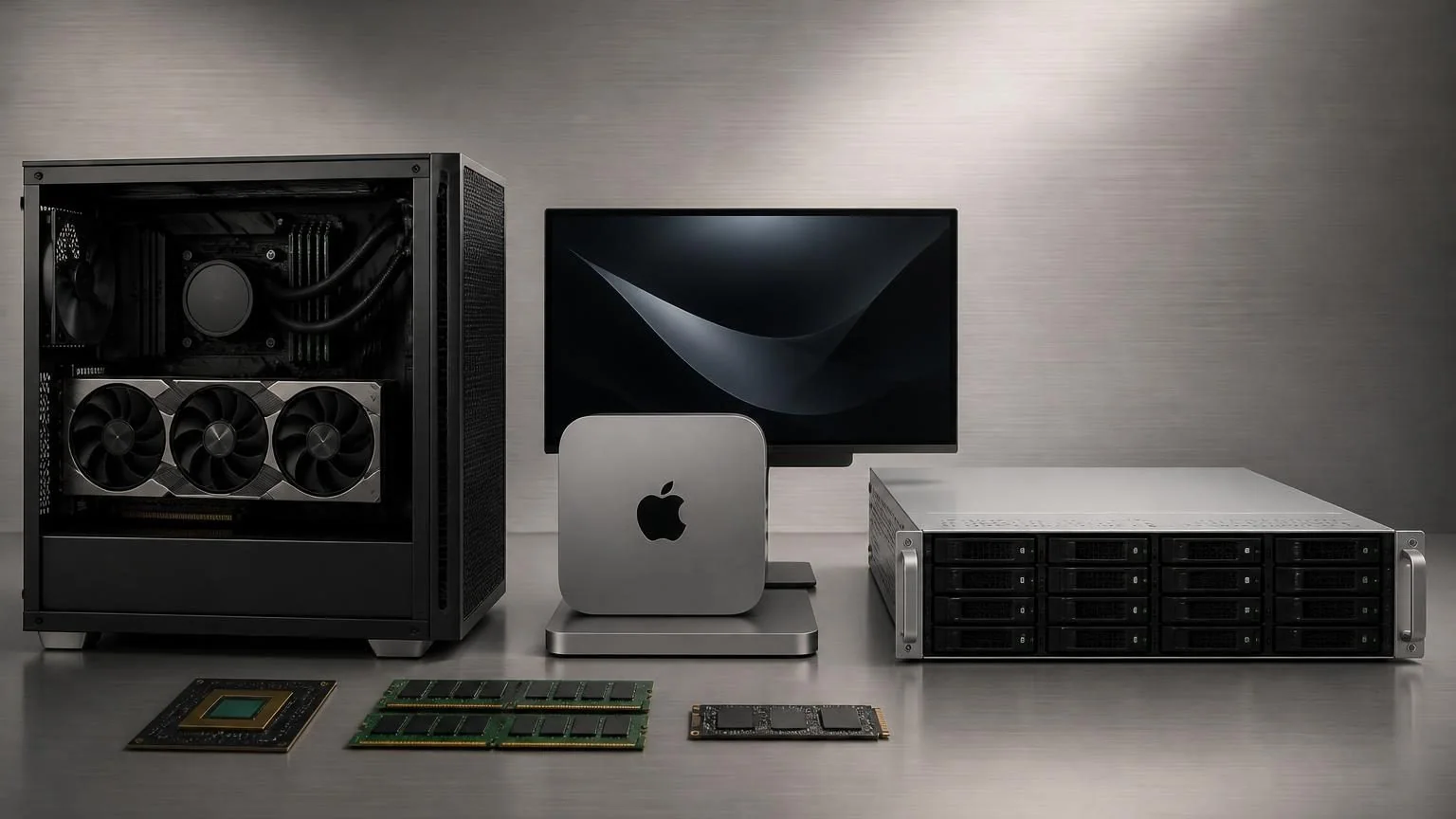
The hardware you need for local AI depends less on raw CPU speed and more on whether your model can fit comfortably in memory, especially GPU memory. For most business pilots, the first real question is not “How fast is the processor?” but “How much VRAM or unified memory do we actually have to work with?”
If you are testing a small local assistant, an 8B-class model can fit on relatively modest hardware. If you want stronger reasoning, longer context, multiple users, or larger coding and analysis workloads, the hardware requirement jumps quickly. That is why local AI buying decisions usually come down to five things: model size, memory headroom, concurrency, privacy needs, and whether you want a single-user machine or a shared internal service.
What hardware actually matters most
For local inference, VRAM is usually the hard limit. The model weights need to fit somewhere fast enough to be usable. System RAM still matters, and so does storage, but underpowered GPU memory is the main reason local AI feels slow or forces a fallback to CPU execution.
A useful planning rule is to treat the model file size as a starting point, not a full runtime budget. A quantized 8B model may look small enough on paper, but context length, cache growth, and serving overhead can push real memory needs higher. That is why a setup that merely loads a model is not always the same setup that feels good to use in production.
- GPU / VRAM: The first constraint for most Windows and Linux deployments.
- Unified memory: Especially relevant on Apple silicon, where local AI tools can use shared memory across the system.
- System RAM: Important for CPU fallback, background processes, retrieval pipelines, and larger documents.
- CPU: Still matters for orchestration, preprocessing, embeddings, and tool execution, but it usually does not rescue an undersized memory setup.
- Storage: Fast SSD storage helps because models, vector data, logs, and cached artifacts add up quickly.
Match the hardware to the kind of AI you want to run
Most buyers make better decisions when they start from the workflow, not the chip. The right machine for a private note-taking assistant is very different from the right machine for a multi-user internal agent that searches documents, writes drafts, and calls tools.
Local AI hardware planning by workload
| Use case | Typical hardware direction | What to expect |
|---|---|---|
| Single-user local chat, summarization, or lightweight internal assistant | 8GB to 16GB of VRAM or a higher-memory Apple silicon machine | Good for smaller models, private experimentation, and fast pilot work |
| Stronger local work assistant, coding help, document analysis, or longer-context testing | 16GB to 24GB of VRAM, or a larger unified-memory Mac | A much more practical tier for daily use and better model flexibility |
| Shared internal AI service for a team | 24GB+ GPU memory, larger RAM pool, and server-style planning | Better for concurrency, multiple tools, and stable internal rollout |
| 70B-class local models or heavier multi-user deployments | Server-grade setup, multi-GPU path, or a large-memory specialized machine | This is usually an infrastructure project, not a casual workstation purchase |
Real examples help. Ollama currently lists Llama 3.1 8B at about 4.9GB, Qwen2.5 14B Instruct at about 9.0GB, and Llama 3.1 70B at about 43GB. Those numbers are useful because they show how quickly local AI moves from “one machine” to “serious infrastructure.” They are not the whole runtime story, but they are a strong buying signal.
What this means in practice
If your goal is a private internal assistant for one or two people, you do not need a rack server on day one. If your goal is a dependable internal agent layer for a department, you should think beyond a single desktop and plan for serving overhead, concurrent requests, logging, monitoring, and failover.
Choosing between NVIDIA, AMD, and Apple silicon
The best hardware is not just about benchmark speed. It is also about software support and how easy the machine is to keep useful over time.
NVIDIA
NVIDIA is still the safest choice for most Windows and Linux local AI deployments because tool support is broad and mature. If your team wants the least-friction path for local model testing, shared inference servers, or custom pipelines, NVIDIA is usually the default starting point.
AMD
AMD can be a workable option, but buyers should verify support before purchasing. Compatibility depends more heavily on driver stacks and supported cards, so AMD is best for teams that already know their software path and are willing to validate it carefully.
Apple silicon
Apple silicon is attractive for quiet, compact, single-machine local AI setups. The big reason is unified memory: it gives local tools a different memory model than the classic desktop GPU path. That makes Macs unusually practical for private local assistants, executive prototypes, and small internal workflows where simplicity matters more than rack-scale flexibility.
If your choice is between a Mac for a small local pilot and a Linux workstation for a more customizable shared setup, the right answer usually comes down to who will maintain it and whether the machine is personal, team-shared, or production-bound.
When local hardware makes sense and when it does not
Local AI hardware is a good fit when one or more of these are true:
- You have privacy, compliance, or data residency concerns.
- You want predictable access to models without per-call API pricing.
- You need offline or low-latency local workflows.
- You are testing internal agents on sensitive documents or proprietary code.
Local hardware is often a weak fit when:
- You need the best possible frontier-model quality more than data control.
- You expect fast-changing workloads and do not know your steady usage yet.
- You want to support many users before validating the workflow.
- Your team does not want to manage drivers, monitoring, updates, or model serving.
Many businesses end up with a hybrid answer: local or on-prem infrastructure for sensitive or repeatable internal tasks, and cloud APIs for larger bursty workloads or higher-end reasoning.
Common mistakes that make local AI feel slow or expensive
- Buying for hype instead of workload. Start with the workflow and likely model class, not the flashiest GPU announcement.
- Confusing model size with total runtime needs. Loading a model is not the same as using it comfortably with context, tools, and multiple requests.
- Overvaluing CPU upgrades. For many local AI workloads, extra VRAM changes the outcome more than a premium CPU jump.
- Ignoring concurrency. A machine that feels fine for one user may break down as soon as a team starts sharing it.
- Skipping storage planning. Model files, embeddings, logs, and cached artifacts can consume storage much faster than expected.
A practical buying checklist before you commit
- Name the workflow. Are you running private chat, coding help, document search, voice, or a shared internal agent?
- Choose the model tier first. Small-model pilot, stronger mid-sized local model, or large shared deployment?
- Estimate how many users will hit the system at once. Single-user and shared-service planning are not the same purchase.
- Decide whether privacy is a preference or a requirement. That changes whether local hardware is optional or strategic.
- Plan headroom. Buy for usable performance, not just the minimum needed to say the model loads.
- Pilot before standardizing. It is much cheaper to validate one workflow on one machine than to overbuild an internal cluster too early.
The best local AI hardware decision is usually the smallest setup that can prove the workflow honestly. Once a team knows the model class, document sizes, user count, and privacy constraints, the next hardware purchase becomes much easier—and much less wasteful.
If you are still deciding between local, hybrid, and cloud deployment, do that architecture work before you buy. In many businesses, the most expensive AI mistake is not choosing the wrong model. It is buying infrastructure before the workflow is clear.